Form 26AS: Meaning, Details, Login & How to Download
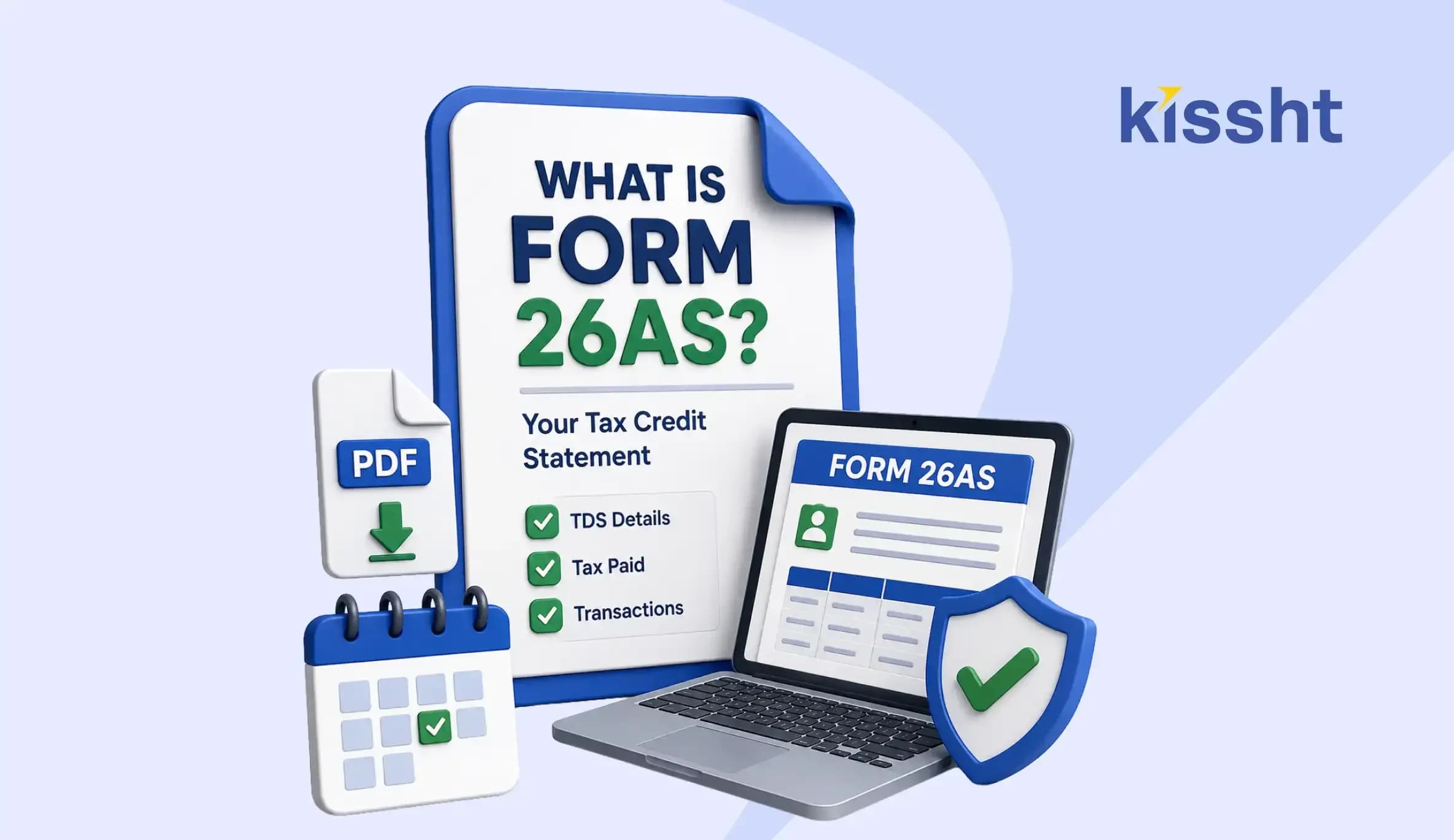
Form 26AS is an annual tax credit statement linked to a taxpayer’s Permanent Account Number (PAN). It brings together information such as tax deducted at source (TDS), tax collected at source (TCS), advance tax, self-assessment tax, refunds and specified financial transactions reported to the Income Tax Department.
Checking this statement is an important part of annual financial planning. Someone reviewing repayments through a loan EMI calculator, for instance, may also benefit from confirming that salary, interest and other tax credits have been recorded correctly before filing an income-tax return.
The statement allows taxpayers to compare personal records with amounts reported by employers, banks and other deductors. Early review can reveal missing credits or incorrect details.
What Information Does Form 26AS Contain?
Its contents depend on the taxpayer’s transactions. Common entries include:
- TDS deducted from salary, interest and other payments
- TCS collected on applicable transactions
- Advance tax and self-assessment tax paid directly
- Income-tax refunds issued during the year
- Specified financial transactions reported by institutions
- Details relating to tax demands and certain proceedings
- PAN status and available taxpayer information
Form 26AS should be read with the Annual Information Statement (AIS). The former focuses on tax credits, while AIS contains wider reported financial information. Review both before filing.
| Record | What It Shows | Why It Matters |
|---|---|---|
| TDS and TCS | Tax reported by deductors or collectors | Helps confirm available tax credit |
| Direct Tax Payments | Advance tax and self-assessment tax | Verifies payments made by the taxpayer |
| Refunds | Refund amount and related details | Supports reconciliation with bank records |
| Specified Transactions | Reported high-value financial activity | Helps identify omissions or mismatches |
How to Download Form 26AS
Taxpayers can access the statement through the Income Tax e-Filing portal. Here is how to download Form 26AS:
- Visit the official Income Tax e-Filing portal.
- Log in using the PAN and registered credentials.
- Complete the required security verification.
- Open the e-File menu and select the Form 26AS option.
- Give consent to continue to TRACES.
- Choose the assessment year and format.
- View or complete the form 26AS download.
People may use a personal loan app for borrowing services, but tax records should be accessed only through an authorised government portal or approved net banking.
Taxpayers can also learn how to download Form 26AS through an authorised bank’s net-banking service when their PAN is mapped to the account.
Form 26AS Login and Password
For a Form 26AS login, taxpayers need registered credentials and access to the linked verification method. The portal then redirects them to TRACES.
When the PDF is protected, the Form 26AS password is generally based on the taxpayer’s date of birth or incorporation. Follow the instructions displayed during download.
Keep the Form 26AS password private. If a Form 26AS login fails, use the official password-reset facility instead of guessing credentials.
How to Check the Statement Before Filing
Compare entries with Form 16, Form 16A, salary slips, interest certificates, challans and refund records. Someone applying for a personal loan online may already be organising these documents.
Check the following:
- PAN and personal details are correct.
- TDS amounts match the certificates provided by deductors.
- Advance tax and self-assessment tax payments appear.
- Refund information agrees with bank records.
- No transaction appears unfamiliar or duplicated.
If a credit is missing, contact the responsible deductor. It may need to deposit the tax, file a return or correct the PAN. Taxpayers cannot edit the statement directly.
Why Regular Review Helps
Do not wait until the filing deadline for a form 26AS download. Periodic checks allow time to resolve differences. Users managing commitments through Kissht can include this review in their financial checklist.
Knowing how to download Form 26AS helps taxpayers retain year-wise records. Save the PDF securely, especially on a shared device.
After completing the form 26AS download, check the statement closer to the filing date. Credits may appear after a deductor files or revises its quarterly statement. Downloading a fresh copy before filing helps ensure that the return is based on the latest information available.
Conclusion
Form 26AS consolidates tax credits and selected financial information reported against a PAN. Reviewing it before filing helps taxpayers confirm available credits and identify reporting gaps. Use the official access facility, protect the downloaded statement and ask the responsible deductor to correct any difference promptly.
FAQs
1. Is Form 26AS the Same as AIS?
No. Form 26AS mainly records tax credits, while AIS contains broader financial information reported for the taxpayer.
2. What Should I Do if TDS Is Missing?
Contact the deductor with the relevant certificate or payment details. It may need to correct its TDS statement.
3. Can Form 26AS Be Downloaded Without an e-Filing Login?
Eligible taxpayers may access it through the net-banking facility of an authorised bank when their PAN is linked to the account.





Instant Loans at Your Fingertips


Personal Loan
Fast, hassle-free loan for your personal needs.

Business Loan
Fuel your business growth with quick approvals.

Loan Against Property
Unlock your property’s value with ease.

Credit Pulse
Boost your credit score with smart insights.

Track your credit score
Simply enter your mobile number to get a quick overview of your credit score.
Check Now

Related articles

Sept 23, 2026
What are the Common UPI Terms and Their Meanings?

Sept 15, 2026
UPI MDR Explained: What Changes From October 2026?

Aug 28, 2026
Mutual Funds vs․ Stocks: What's the Difference?

Aug 28, 2026
Best Investment Options for Beginners

Aug 23, 2026
SIP Investment Guide for Beginners: Steps, Benefits and Risks
Aug 11, 2026
Different Types of Bank Accounts in India: Which One Should You Choose?
Aug 25, 2026
50/30/20 Budget Rule: Your Simple Guide to Financial Management
Jul 28, 2026
8 Best Walking Pads for Home in India (2026): Top Foldable Picks for Everyday Fitness
Jul 27, 2026
How to Download Form 15G Online: Form 121 PDF, Eligibility and Submission Guide - 2026
31st Jul 2026
How to File a Cyber Crime Complaint in India - Step-by-Step Process

Jun 18, 2026

