PAN Card Update Online: Step-by-Step Process
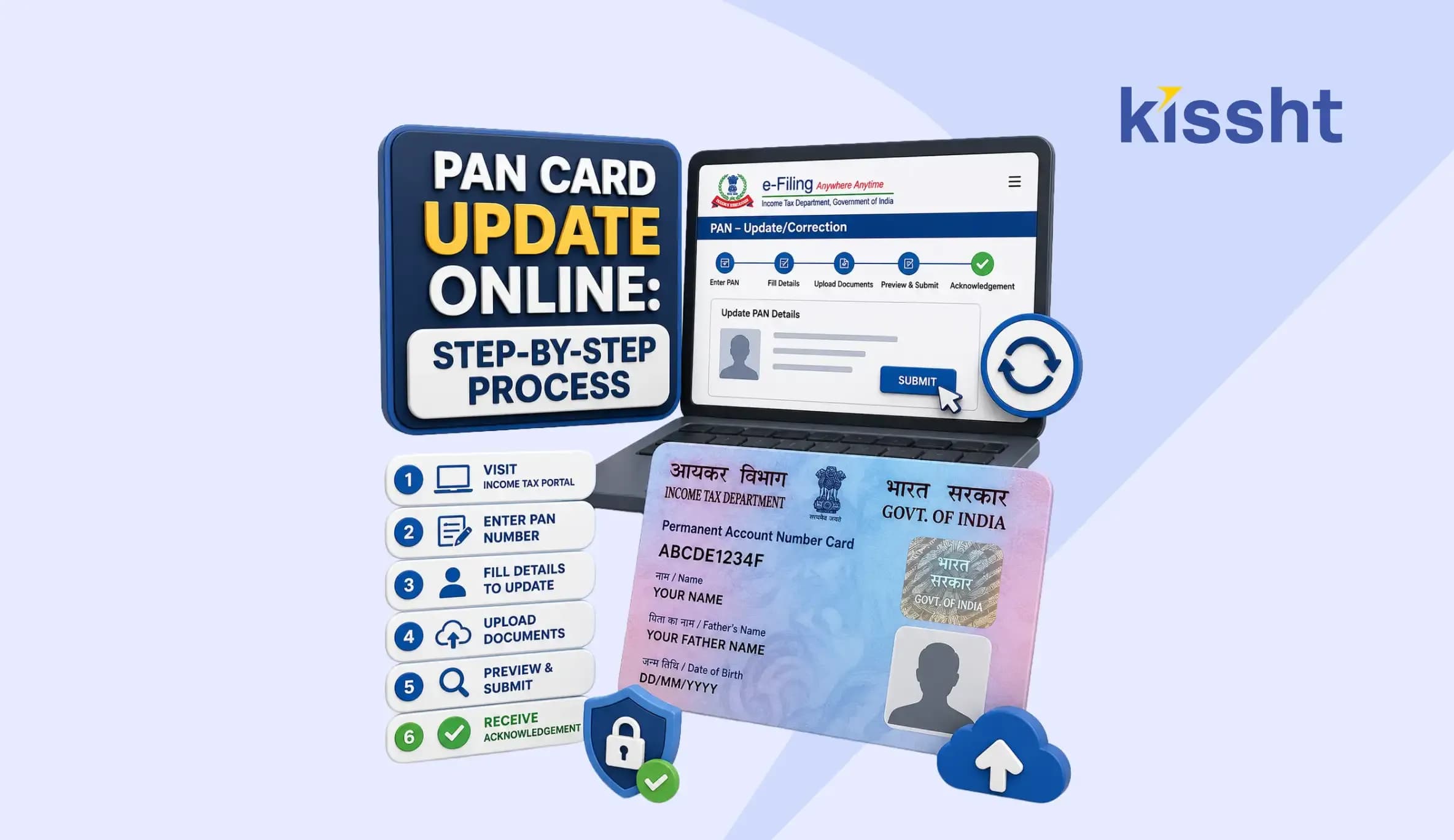
A Permanent Account Number (PAN) card is one of the most important identity and financial documents in India. It is required for filing income tax returns, opening bank accounts, investing in financial products, applying for loans, and completing various Know Your Customer (KYC) related activities. Any incorrect information on your PAN card can create problems during verification and financial transactions.
Details such as your name, date of birth, father’s name, address, photograph, or signature should always match your official records. PAN card update online services make it easy to correct errors without visiting any office. If you are planning to apply for an instant personal loan through a personal loan app, accurate PAN details become more important because lenders use PAN information for identity verification and credit checks.
Why is PAN card correction important?
A correction request helps ensure that all your records remain up to date and consistent across financial institutions. Correct PAN details can help you:
- File your Income Tax (IT) Returns without discrepancies
- Complete the Know Your Customer (KYC) facility smoothly
- Improve the chances of hassle-free loan and credit applications
- Link your PAN with Aadhaar
- Access and review your credit score and history
- Prevent issues arising out of outdated or incorrect PAN details
What details can be updated in a PAN card?
Just as you apply for a new PAN card online, you can also update its existing details through authorised portals. You can request an alteration in PAN card details for:
- Name correction after marriage
- Spelling mistakes in the applicant’s name
- Legal name change through Gazette notification
- Mismatch between PAN and Aadhaar details
- Father’s name correction
- Date of birth correction
- Photograph update
- Signature update
- Residential address update
- Mobile number and email ID update
- Company or entity information update
PAN card correction rules updated in 2026
The PAN correction process has undergone some changes from 1st April, 2026. The Central Board of Direct Taxes (CBDT) has introduced dedicated correction forms for different applicant categories.
Individual taxpayers are required to fill out PAN CR-01, while companies, firms, trusts, and other non-individual entities must use PAN CR-02 for PAN data corrections from the official Protean portal. These forms apply to both citizens and non-citizens of India.
Applications must be submitted online or through authorised PAN service centres. Taxpayers should also ensure that details such as name, date of birth, and other personal information match their supporting documents and Aadhaar records to avoid delays during verification.
How to change details on PAN card online on the Protean portal?
Applicants can submit a PAN card correction online request through the Protean eGov (formerly NSDL) portal. The process is simple and can be completed in a few steps.
- Visit the official Protean portal
- Under the ‘Select PAN Application Type’, choose ‘Changes or Correction in existing PAN Data
- Select the ‘Applicant Category’
- Fill in details such as
- Full name
- Date of Birth/Date of Incorporation/Date of Formation
- Email ID
- Mobile number
- Indian citizen or not
- Existing PAN number
-
Tick the consent box, validate reCAPTCHA, and click on ‘Submit’ after entering the correct details
-
On request registration, you will receive a token number via email ID
-
Click on ‘Continue with PAN Application Form’, and you will find three options to choose from:
-
Submit digitally through e-KYC and e-Sign (Paperless)
-
Submit scanned images through e-Sign
-
Forward application documents physically
Note: For a paperless PAN card correction using Aadhaar OTP authentication, select option a from the three options above during the application process.
- For a fresh physical PAN card with the updated details, select ‘Yes’ and enter the last 4 digits of your Aadhaar number
- Make sure you tick the checkbox next to each detail you want to update
- Once done, click ‘Next’
- Enter your updated address, mobile number, or email ID, and proceed to the next step
- Upload the supporting documents along with a copy of your PAN card
- Complete the declaration section, upload your photograph and signature, and click ‘Submit’
- Before submitting the application, check the preview page
- Enter the first 8 digits of your Aadhaar number and verify the entered updated details
- Pay the necessary fees after submitting the PAN card correction form
- Complete the KYC process through the Aadhaar-linked OTP verification process
- Click on ‘Continue’ with eSign
- Accept the terms and conditions and complete the Aadhaar-linked OTP verification again
- Download the acknowledgement form (password - your DOB in the format DD/MM/YYYY)
Note: If you choose the ‘Forward application documents physically’, take a printout of the acknowledgement and send it along with the required documents through post within 15 days of application submission online at:
Income Tax PAN Services Unit,
Protean eGov Technologies Limited,
4th Floor, Sapphire Chambers,
Baner Road, Baner, Pune - 411045
How to change details on PAN card online on the UTIITSL portal?
Applicants can submit a PAN card correction online request through the UTIITSL portal. The process is simple and can be completed in a few steps.
- Visit the UTIITSL website
- Click the ‘Apply for Changes/Correction in PAN Data (CR-01 and CR-02)’ option
- Choose the mode of submission of documents, enter your PAN number, and choose the PAN card option
- Click ‘Submit’ to continue
- Once done, you will receive a reference number
- Tick the boxes that require correction/updation and proceed to the next step
- The Aadhaar-updated address will appear
- Enter your PAN number to verify and proceed
- Upload the documents and click ‘Submit’
- Verify the details and make the payment
- Print the form for future reference
Note: For the ‘Physical (Forward Application with documents physically)’ option, take the printout of the form, affix a photograph and signature, attach necessary documents and post it to the nearest UTIITSL offices.
How to change details on PAN card offline?
If you don’t prefer online methods, follow these steps for an offline application:
- Download the PAN correction form from the official Protean portal
- Fill out the form and submit it with the required documents at the nearest PAN centre
- Pay the necessary fees
- On successful submission and payment, you will receive an acknowledgement receipt at the centre
How can Non-Resident Indians (NRIs) and Foreign citizens change PAN card details?
NRIs, foreign nations, and overseas entities can update incorrect PAN details by following the steps below:
- Visit the official Portean or UTIITSL portal
- Go to the PAN correction application section
- Select the respective options on the websites to update the PAN card
- Choose the ‘Application Category’
- Enter the existing PAN number and enter the required details
- Tick the boxes that require correction/updation
- Upload self-attested copies of the required documents
Note: Depending on your category, this may include a Passport, Aadhaar card, Overseas Citizenship of India (OCI) card, Proof of address, or other valid identification documents.
- Select your preferred delivery method for the updated PAN and make the payment.
PAN Card Delivery Charges
| Mode | Payment |
|---|---|
| e-PAN via Email | ₹0 |
| Physical PAN card delivery in India | ₹50 |
| Physical PAN card delivery outside India | ₹15 + actual India Post charges |
- Complete Aadhaar-linked OTP verification or other e-KYC verification method
- Submit the PAN correction application
- Download the acknowledgement receipt for future reference
Updating incorrect PAN information is a simple but important task. A few minutes spent on PAN correction can prevent complications during tax filing, banking, investing, and KYC verification. The online process has made it easier than ever to submit correction requests, upload documents, and track application status from home.
Accurate PAN records also support smoother financial journeys. Before taking any borrowing decisions, you can use the Kissht loan platform to explore various instant personal loan offers and estimate monthly repayments with its loan EMI calculator. Thus, a correctly updated PAN card can streamline the verification process when using this personal loan app.
FAQs
1. How to change name in PAN card?
Changing name on PAN card is simple. Submit a PAN Correction Request Form online via the Protean or UTIITSL portals, along with documents such as a Marriage certificate, ID proof, or a Gazette notification, and pay the applicable fees.
2. How to change father name in PAN card?
Submit a PAN Correction Request Form online via the Protean or UTIITSL portals, provide identity proof with the updated name of your father, and pay the necessary fees.
3. How to change date of birth in PAN card?
Submit a PAN Correction Request Form online via the Protean or UTIITSL portals, provide a government-issued document (Birth certificate) with your actual date of birth, and pay the necessary fees.
4. Which documents are required to correct a PAN card?
Documents depend on the correction requested. Commonly required documents include Aadhaar card, Passport, Voter ID, Driving licence, Birth certificate, Marriage certificate, and Gazette notification.
5. How to track PAN update status?
You can track your PAN correction status on the Protean or UTIITSL portal using your acknowledgement number or PAN number. You can also send an SMS in the format 'NSDLPAN <15-digit acknowledgement number>' to 57575, check updates on your registered email ID, or contact customer support.



Instant Loans at Your Fingertips
Apply nowPersonal Loan
Fast, hassle-free loan for your personal needs.

Business Loan
Fuel your business growth with quick approvals.

Loan Against Property
Unlock your property’s value with ease.

Credit Pulse
Boost your credit score with smart insights.

Track your credit score
Simply enter your mobile number to get a quick overview of your credit score.
Check Now

Related articles

Aug 20, 2026
Chakshu Portal: What to Do When You Receive a Fraudulent Communication?
Jul 15, 2026
How Much Loan Can You Get for a Food Franchise Business?

Aug 10th 2026
Janmashtami 2026: Date, Time, Significance and Celebrations in India
Aug 10, 2026
Independence Day Special: 10 Smart Money Habits to Build Financial Freedom
Jul 23, 2026
What Is the Difference? MSME Loan vs Business Loan
Jul 22, 2026
EPF New Rules 2026 Explained: Withdrawal, Contribution, Wage Ceiling & Key Changes
Jul 20, 2026
How to Check EPFO Pension Status Online Using PPO Number (2026)
Jul 21, 2026
Top Reasons for MSME Loan Rejection
Jul 20, 2026
Documents Required for GST Registration

Jul 20, 2026
Best Laptop for College Students in India: Complete Buying Guide 2026
Jul 16, 2026
How to Check FASTag Balance Online: Vehicle Number, App, SMS & Missed Call (2026)

Jul 8, 2026

