Sanchar Saathi App Explained: Features, Services & How It Works
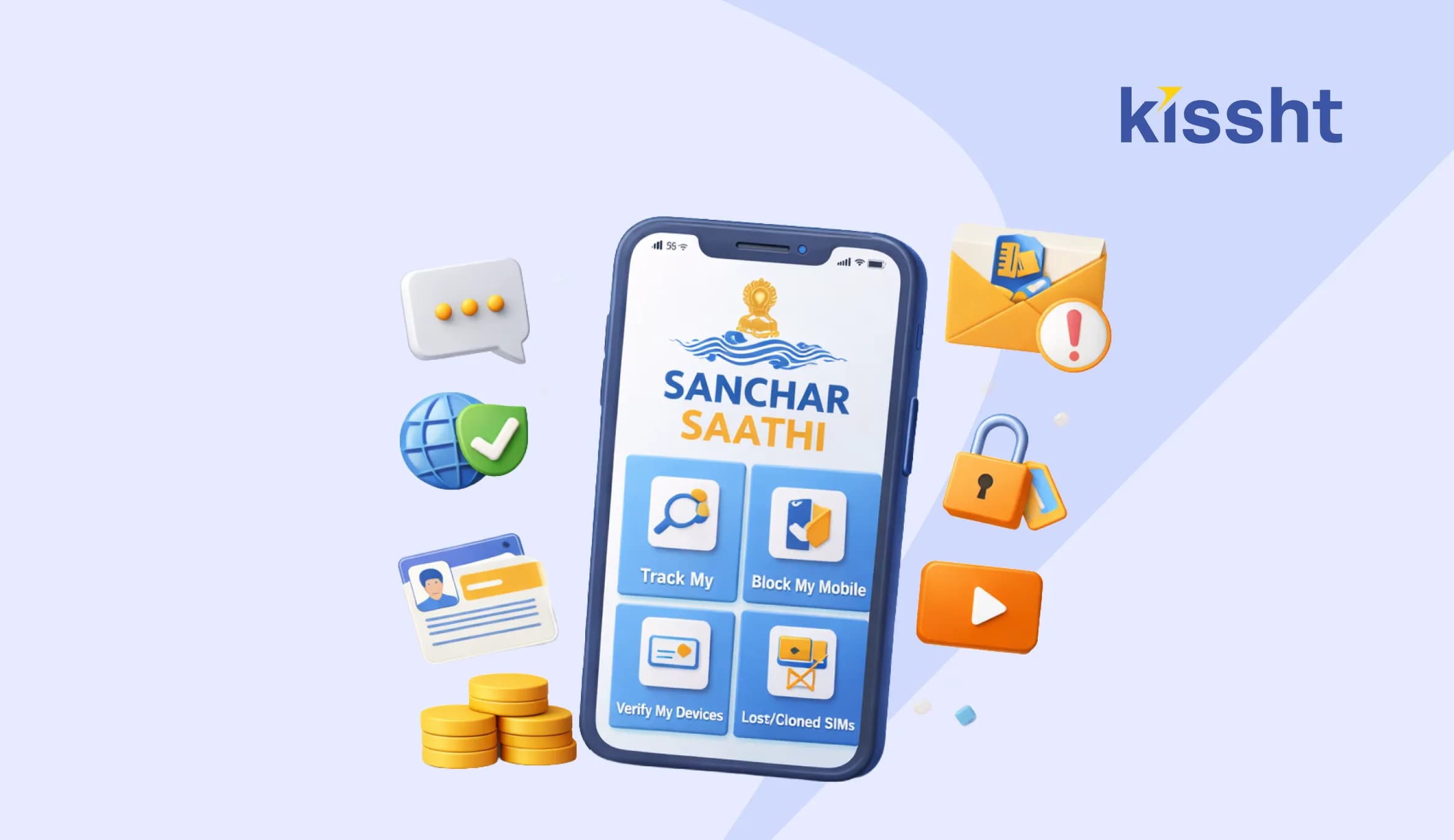
Mobile phones have become central to everyday life. From banking alerts to work calls and government services, almost everything depends on an active and secure mobile connection. With this growing dependence, issues like unknown SIM cards, identity misuse, and mobile-related fraud have also increased. To address these concerns, the government introduced a single digital platform to help users track and manage their mobile connections more safely.
This is where the Sanchar Saathi app comes into the picture. Many users search for the Sanchar Saathi app because it offers visibility and control over mobile connections linked to an identity. For people who rely on digital services, including those who use an online loan app or apply for an instant loan online, having clarity on active mobile numbers becomes important. This article explains how the app works, its features, and why it matters.
What Is the Sanchar Saathi App and Why Was It Launched
The Sanchar Saathi app is a citizen-focused initiative designed to help people check and manage mobile connections issued in their name. Over time, many users discovered that multiple SIM cards were active without their knowledge. This created risks related to fraud, data misuse, and identity-related problems.
The platform was launched to bring transparency and allow individuals to verify whether any unknown mobile numbers are linked to their identity. Understanding the use of Sanchar Saathi helps users take timely action before misuse causes serious trouble.
Who Should Use the Sanchar Saathi App
It is especially helpful for • Individuals who have lost a phone in the past • People who changed numbers frequently • Senior citizens who may not track SIM issuance closely • Users who rely on mobile verification for digital services
Key Features of the Sanchar Saathi App
The app offers simple but powerful tools designed for everyday users.
Check Active Mobile Connections
Users can view a list of all mobile numbers issued in their name. This helps identify unknown or unnecessary connections.
Report Unrecognised Numbers
If a number appears that the user does not recognise, it can be flagged and reported directly through the platform.
Request Disconnection
Once verified, users can request the disconnection of unauthorised mobile numbers linked to their identity.
Track Request Status
All actions taken inside the app can be tracked. This ensures users know what stage their request is at.
These features make the app practical and easy to use, even for those who are not tech-savvy.
How the Sanchar Saathi App Works Step by Step
The process is designed to be straightforward and user-friendly.
Step One- Login
Users access the platform and authenticate themselves using basic identity verification.
Step Two- View Linked Numbers
After login, the system displays all mobile numbers associated with the user identity.
Step Three- Identify and Report
Any unfamiliar number can be selected and reported for further verification.
Step Four- Confirmation and Action
After checks, the system processes the request and takes appropriate action, including disconnection if required.
This clear flow explains the practical use of Sanchar Saathi without confusion.
Why Managing Mobile Connections Matters Today
Mobile numbers are often linked to bank accounts, payment apps, and digital credit platforms. If an unknown number remains active, it can be misused for unauthorised activities.
For users applying through an online loan app, mobile verification plays a critical role. OTP based checks depend on accurate and secure mobile linkage. Similarly, when applying for an</span> instant loan online<span style="font-weight: 400;">, lenders rely on mobile-based communication for updates and verification. Keeping mobile data clean helps avoid disruptions during these processes.
Overview of Sanchar Saathi App Benefits
| Feature | How It Helps Users |
|---|---|
| Active number check | Identifies unknown SIM cards |
| Reporting option | Flags unauthorised connections |
| Disconnection request | Removes unused or risky numbers |
| Status tracking | Provides transparency |
Common Situations Where the App Proves Useful
The app is especially relevant in situations such as
• Receiving OTP messages unexpectedly • Suspecting identity misuse • After losing a phone • During financial verification issues
In these cases, checking linked mobile numbers can prevent larger problems.
Practical Tips for Using the Sanchar Saathi App Effectively
• Review linked numbers periodically
• Act immediately if an unknown number appears
• Keep identity details updated
• Save request confirmations for reference
These small actions help maintain control over mobile-related risks.
Things the App Does Not Do
While the app is useful, it has clear boundaries.
It does not • Replace telecom customer care • Resolve billing disputes • Issue new SIM cards
Understanding these limits avoids unrealistic expectations.
Closing Perspective
The Sanchar Saathi app gives users a simple way to regain control over their mobile identity. In a time when mobile numbers are tied to financial, personal, and professional activities, this visibility is essential. By understanding how the Sanchar Saathi app works and checking mobile connections regularly, users can reduce risk, avoid surprises, and stay confident while using digital services.
FAQs
Q1. What is the Sanchar Saathi app used for?
It is used to check and manage mobile numbers linked to an individual's identity and report unauthorised connections.
Q2. Is the Sanchar Saathi app free to use?
Yes. The service is provided for public benefit and does not charge users.
Q3. Can numbers be disconnected immediately?
Disconnection follows verification steps to ensure accuracy and prevent misuse.
Q4. Is the app useful for financial verification?
Yes. It helps ensure that mobile numbers used for banking and digital services are correctly linked.



Instant Loans at Your Fingertips
Apply nowPersonal Loan
Fast, hassle-free loan for your personal needs.

Business Loan
Fuel your business growth with quick approvals.

Loan Against Property
Unlock your property’s value with ease.

Credit Pulse
Boost your credit score with smart insights.

Track your credit score
Simply enter your mobile number to get a quick overview of your credit score.
Check Now
Related articles

Aug 10th 2026
Janmashtami 2026: Date, Time, Significance and Celebrations in India
Aug 10, 2026
Independence Day Special: 10 Smart Money Habits to Build Financial Freedom
Jul 23, 2026
What Is the Difference? MSME Loan vs Business Loan

Jul 22, 2026
EPF New Rules 2026 Explained: Withdrawal, Contribution, Wage Ceiling & Key Changes
Jul 20, 2026
How to Check EPFO Pension Status Online Using PPO Number (2026)

Jul 21, 2026
Top Reasons for MSME Loan Rejection
Jul 20, 2026
Documents Required for GST Registration

Jul 20, 2026
Best Laptop for College Students in India: Complete Buying Guide 2026
Jul 16, 2026
How to Check FASTag Balance Online: Vehicle Number, App, SMS & Missed Call (2026)

Jul 8, 2026
Ray-Ban Meta Glasses Price in India 2026: Features and Review
Jul 10, 2026
List of Best Mileage Bikes in India (2026)

Jul 16, 2026

